1 podcast→ 10 Reels
BatuWorks Kurgu is a professional desktop video editor. Your AI sidekick scans the long recording, finds the strongest moments, reframes them vertically and adds captions. You just pick and approve.
Windows · macOS · Linux — no credit card required
From long-form to short-form in four steps
- 01
Open the recording
Podcast, livestream or interview: drop the hour-long video into Kurgu.
- 02
Find the moments
The AI reads the transcript and suggests shareable moments with length and hook line.
- 03
Batch produce
Chosen moments are reframed to 9:16 with Reels captions and your brand kit.
- 04
Export
Each clip as its own file: ready for Reels, Shorts and TikTok, no watermark.
Editing with AI (MCP)
Your AI, your account
Kurgu runs an MCP server on your computer. Connect Claude Desktop, Claude Code or Gemini CLI; the AI opens your project, reads the transcript and lays clips on the timeline. You use your own subscription, so there is no extra AI fee.
- Your videos stay on your computer; the AI only sees the text the tools return (transcript, clip list).
- Every step shows up on the timeline and can be undone: no black box.
- Works with Claude Desktop, Claude Code and Gemini CLI, and other MCP-capable clients.
Example prompt
Cut 10 Reels from this 90-minute podcast: 30–45 s each, a hook in the first 3 seconds, keep the speaker centered, apply my brand kit and Reels captions.
kurgu.transcribe("podcast-ep42.mp4")
kurgu.suggest_moments(count=10, min=30, max=45)
kurgu.reframe(aspect="9:16", track="speaker")
kurgu.apply_brand_kit("Kanalım") · captions(style="reels")
Found 10 moments. Sequences "Reels 01–10" are ready on the timeline; want to review them before exporting?
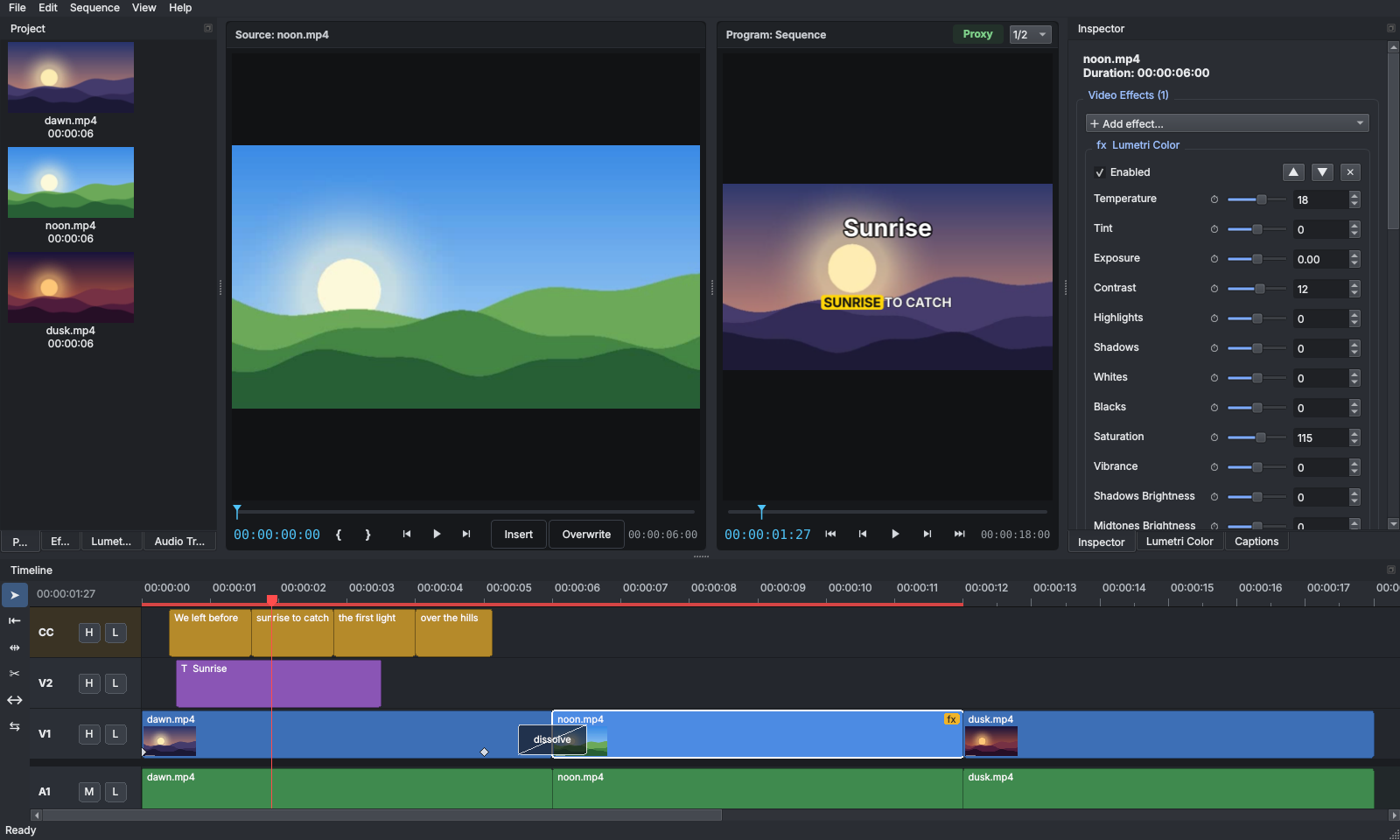
A professional editing desk, a clean interface
Everything short-form needs, and powerful enough for long projects.
Multi-track timeline
Ripple, Roll, Slip, Slide; razor, snapping, markers and nested sequences.
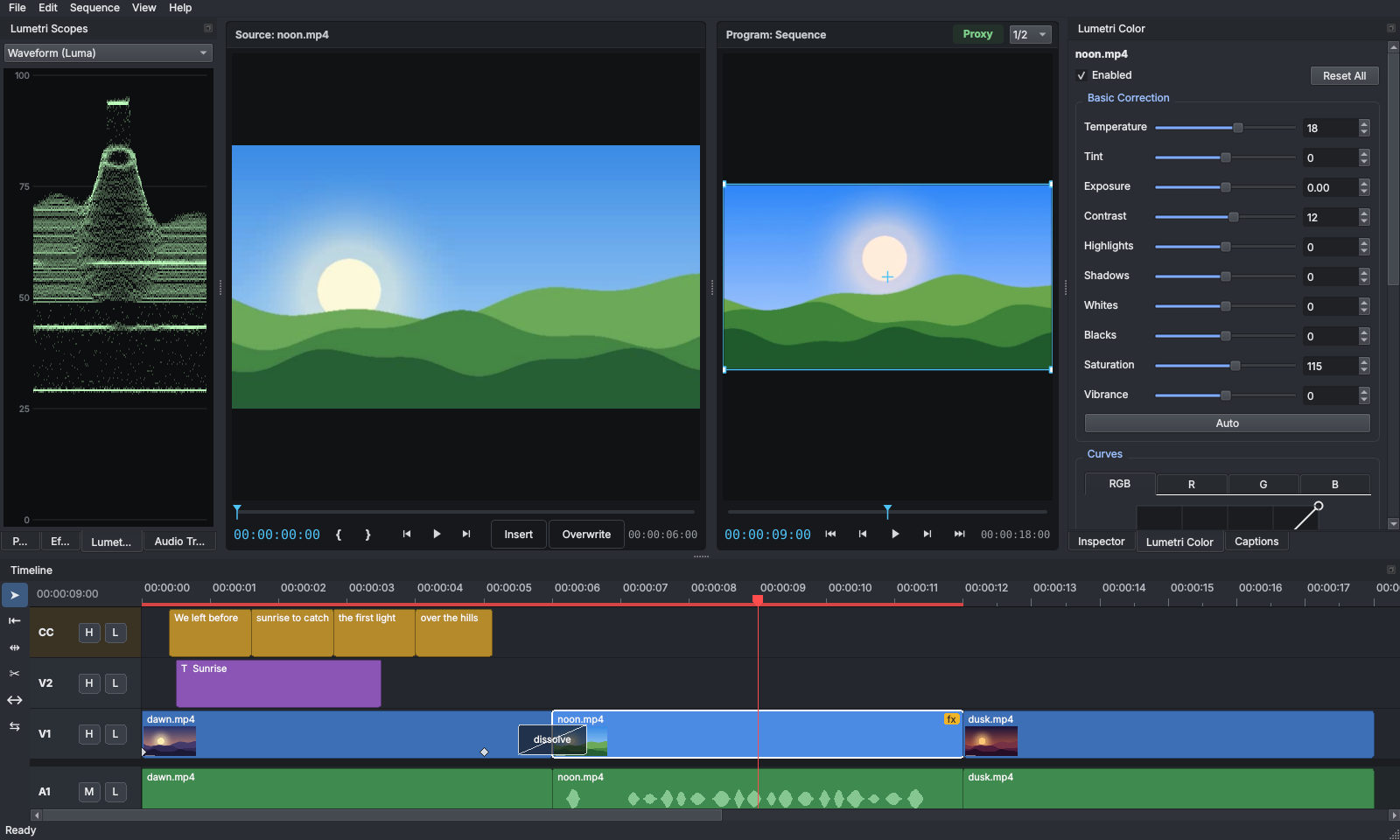
Lumetri Color and scopes
Curves, color wheels, waveform, vectorscope and histogram.
Multicam
Cameras sync automatically by audio; cut live with keys 1–9.
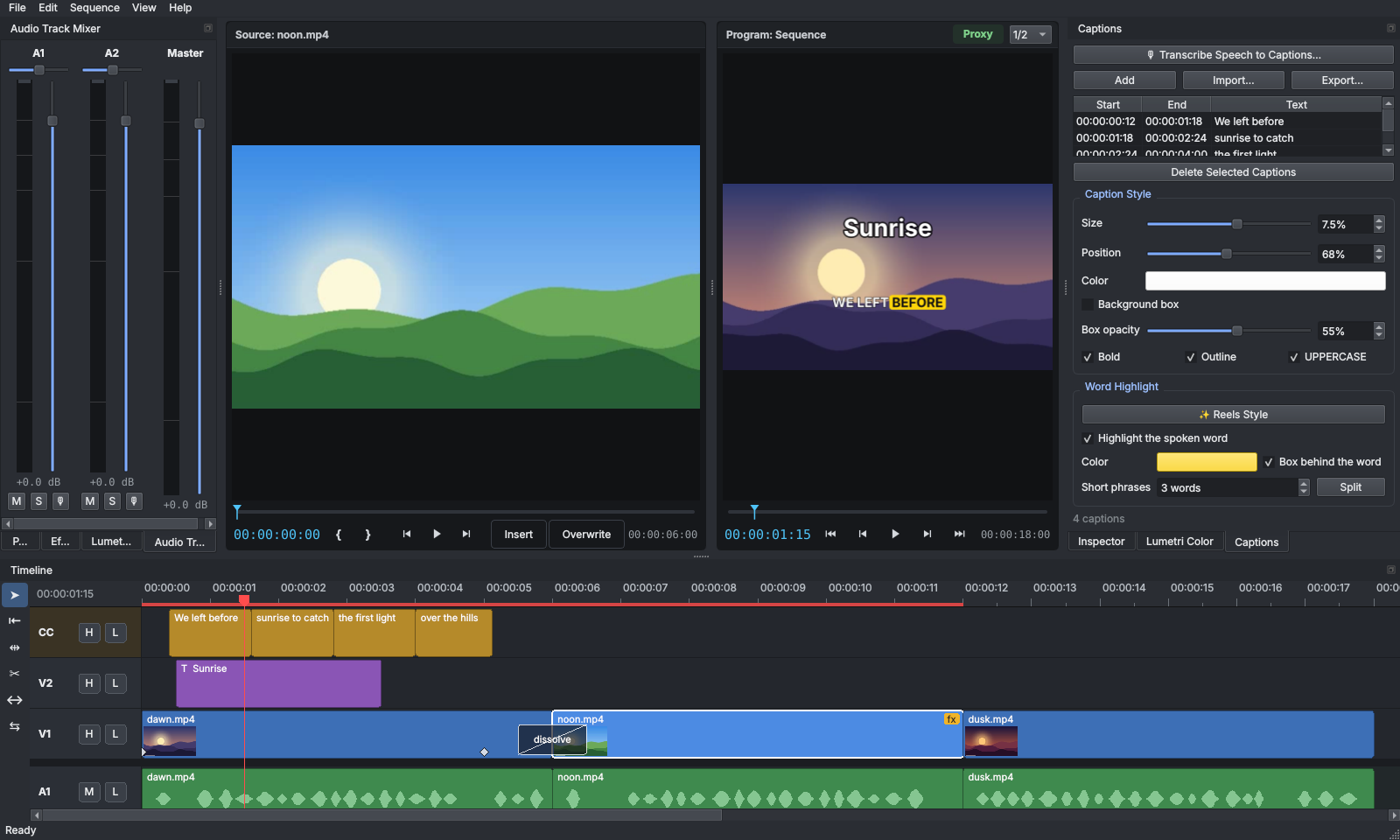
Offline auto captions
Whisper in 12 languages; no internet needed, your audio never leaves your computer.
Reels-style captions
The spoken word is highlighted; grab it on the monitor and drag it anywhere.
Masks and keyframes
Ellipse, rectangle and pen masks; mask path and color keyframes.
Three operating systems, one project file
Start a project on Windows, open it on a Mac or Linux. Simple installs, signed automatic updates.
Frequently asked questions
Is Kurgu free?
Yes. The free edition is a complete video editor; all you need is a free BatuWorks account. Creator tools like smart vertical reframing, brand kits and AI batch production are in Pro.
Do I pay extra for the AI?
Not to Kurgu. AI features run through your own Claude or Gemini account via MCP, using your existing subscription or free quota.
Are my videos uploaded to a server?
No. Kurgu is a desktop app; editing, captions (Whisper) and export happen on your computer. Only the text produced by the tools goes to your AI client.
On how many computers can I use Pro?
On 3 devices at a time per license. Remove a device from your account dashboard to add a new one.
Does it work offline?
Yes. The app verifies your entitlement offline for up to 14 days and silently renews it when you are back online.
What happens if I cancel?
Cancel any time; Pro stays on until the end of the period you paid for, then you are back on Free. Your projects and files stay with you.
Do I get an invoice? Is VAT included?
Payments are handled by Paddle (merchant of record); your invoice is emailed to you and VAT is applied based on your country. Turkish lira prices are listed separately for Türkiye.